> For the complete documentation index, see [llms.txt](https://adornthemes.gitbook.io/vogal-theme/llms.txt). Markdown versions of documentation pages are available by appending `.md` to page URLs; this page is available as [Markdown](https://adornthemes.gitbook.io/vogal-theme/general-sections/footer.md).
# Footer
You can set numerous footer look with flexible footer block options.
{% hint style="success" %}
In the theme editor,
* Scroll down to Footer section.
* Click on sections, make necessary change and click save.
{% endhint %}
Preview different footer style on live [**demos**](https://vogal-demo.myshopify.com/)
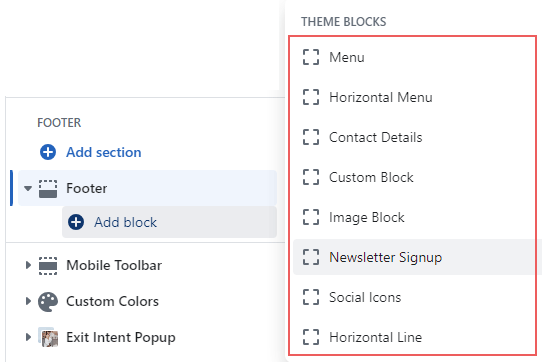
There are total eight available blocks to build footer for your online store.
{% hint style="info" %}
You need to focus on **footer block width** while you add any new block in footer to arrange in one line. Total block width must not be greater than 100%. See below screenshot
{% endhint %}
There are a few sections available to add to the footer section that will display above the footer on all pages of your store.